Reviews look past a one-line idea to what you actually did.
What matters is the problem and customers you checked yourself, a plan with evidence and results you actually ran. ez2AI prepares with you and keeps that process as records on your PC.
Problem and customers
Problems and customers you checked yourself
The assistant organizes customer interviews and collected materials, and remembers the problem and customers you decided.
What reviewers look at
Authenticity · Customers
What you keep
Customer interview summary · Market research report
Plan and records
A plan with evidence and activity records
Evidence with sources is added to your business plan, and mentoring feedback and what you changed are kept as activity records.
What reviewers look at
Execution · Market
What you keep
Business plan · Startup activity report · Mentoring report
PrototypeSolo
A prototype you actually ran
Design documents are built from your business plan, and a prototype made by your spoken instructions runs on your PC.
What reviewers look at
Execution results
What you keep
Design documents · Prototype · Pitch deck
Your preparation period, together like this
StartDefine problem and customers, collect notices and materials
CheckOrganize customer interviews, draft the business plan
ImproveApply mentor and expert feedback, write design documentsSolo
ExecuteBuild the prototype and check it runningSolo
SubmitOrganize activity reports and next-step documents
Stages are an example. Schedules and required documents follow each program's notice.
You decide; evidence comes together.
You decide the problem, customer and solution. The assistant finds evidence and asks about gaps.
Evidence the assistant finds carries its source, and anything without evidence is marked "needs checking" instead of being made up.
Who decided what stays in conversations and memory, and your idea and documents stay on your PC from start to finish.
Your business materials are stored on your PC.
From the business plan you write to the service code you build. Agent work files, conversations and memory are stored on your PC.
Reopen, revise and reuse your materials in the next task. These materials are not stored on ez2AI servers.
You retain the rights to the code and output you create.
What you decide becomes the basis for the next step.
At every step the founder does the work, and the AI assistant finds evidence, asks and records. Earlier decisions and evidence carry into the next step.
01
Problem & materials
Organize the problem you faced and your materials. The assistant finds programs and sources.
02
Customers & market
Meet customers and confirm. The assistant organizes the market and conditions.
03
Business plan
Write it yourself, on your judgment. The assistant adds evidence and asks about gaps.
04
Design
Decide the features and scope. The assistant organizes the design documents.
05
Build
Check and approve each feature. The assistant writes code to the design.
06
Run & validate
Run it on your PC and let customers try it.
07
Operate & improve
Decide what to fix from customer feedback. Check and approve from your phone too.
LiteResearch, documents, mail and mobile assistant
SoloEverything in Lite, plus design, development and running on your PC
Lite covers research and documents; Solo adds design and coding. You always make the decisions.
Example request
Browse notices
Choose a recommended notice
Write the documents needed for this application.
Company profileBusiness planEligibility requirements
01Gather support programs and summarize application requirements
02Compare company details with requirements and explain the matches
03Check required submissions and draft application documents
Possible deliverables
Matched notices and application drafts
Compare your company materials with notice requirements and prepare the materials and drafts needed to apply.
Support program list
Reasons for each match
Application and business plan drafts
Eligibility, deadlines and required documents are reviewed against the original notice. This is an example illustrating the workflow.
Real screens
Not just words. See what was actually built.
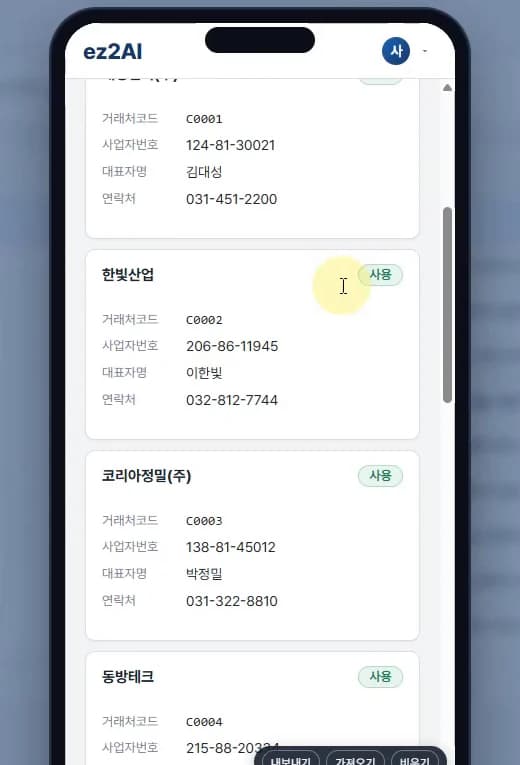
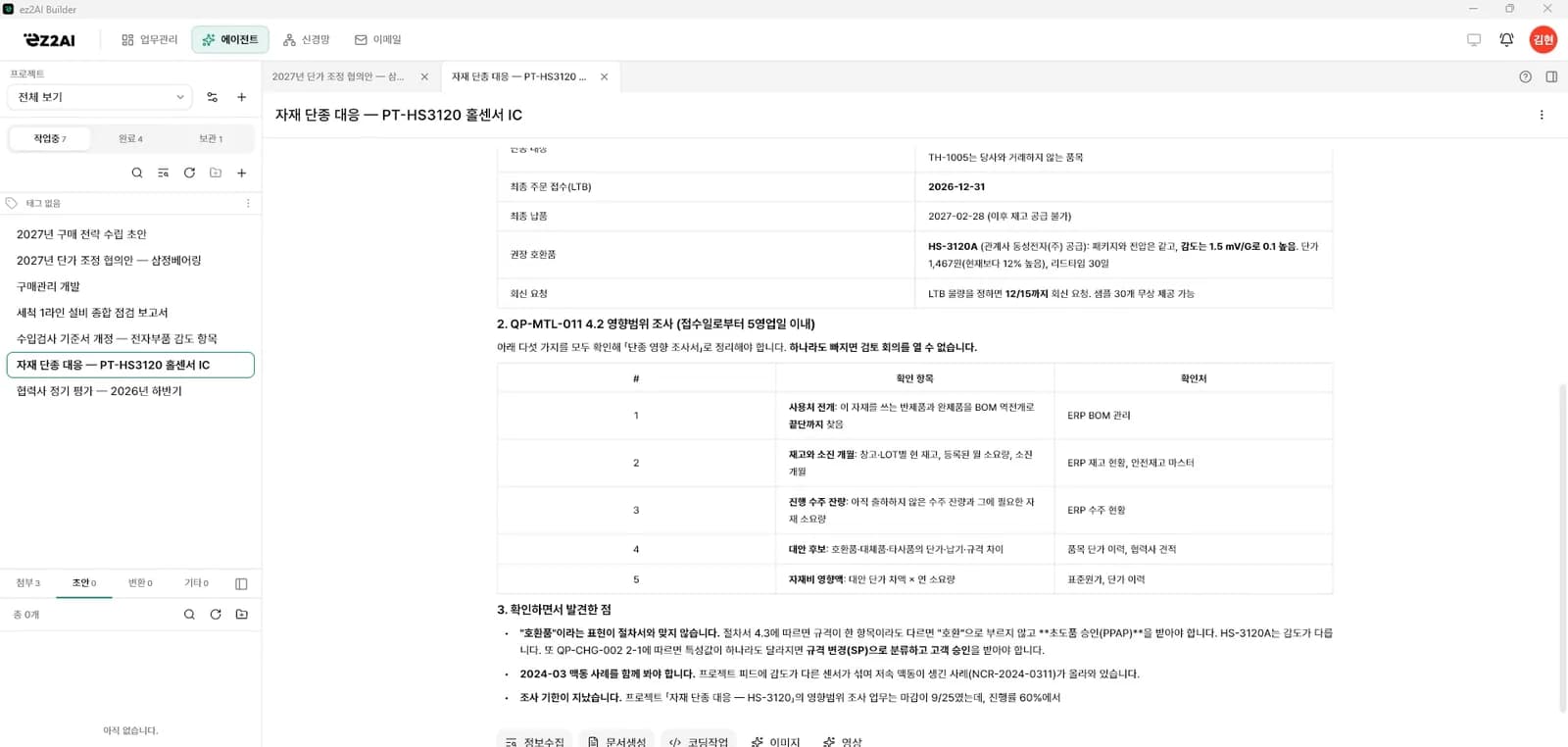
From business plans and design documents to the service you build, the mail assistant and neural restoration, these are real screens built with ez2AI.
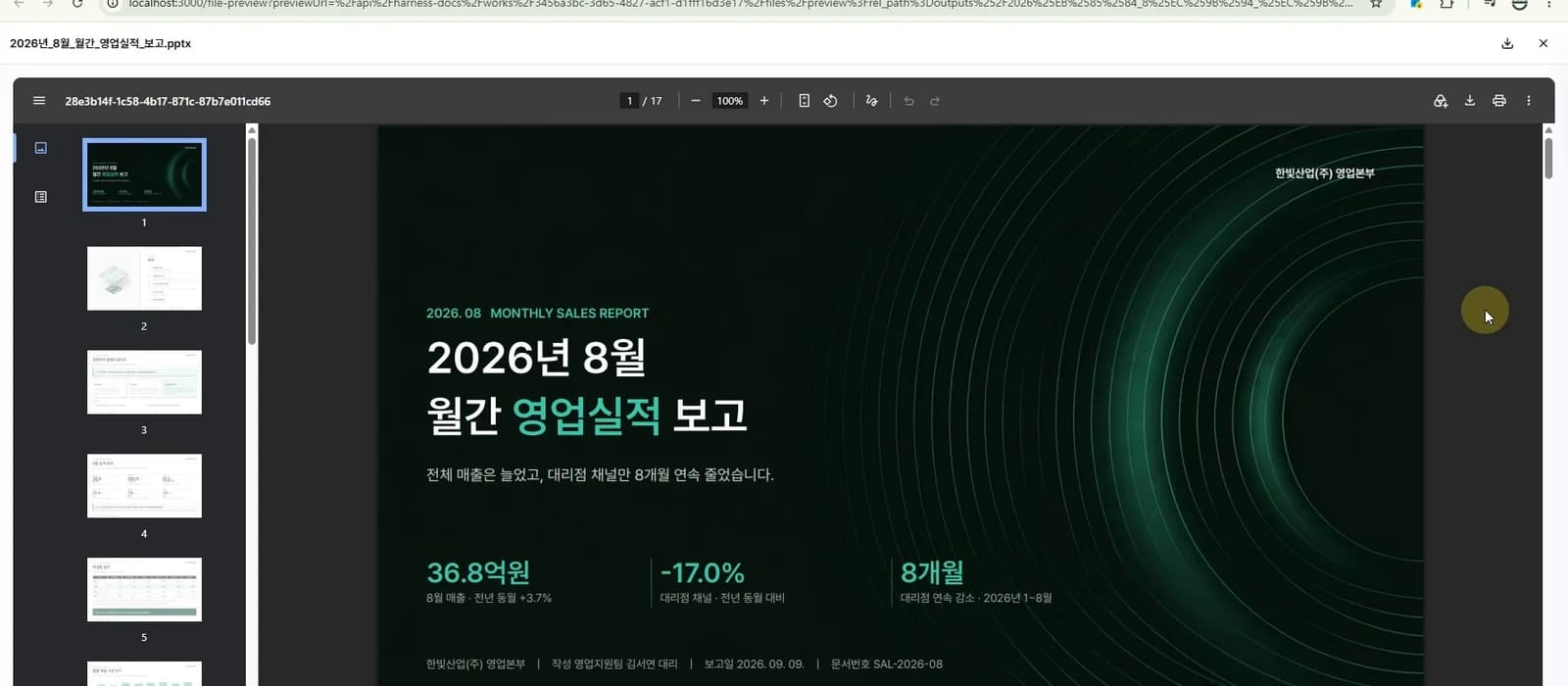
01Harness documents
Reports and design documents, grounded in your decisions and materials
Every document becomes a harness document, written accurately from past formats and collected material.
Export to HWP, Word, PowerPoint, Excel, PDF
Asks first when evidence is missing
Results that follow your past templates and materials
Real screen
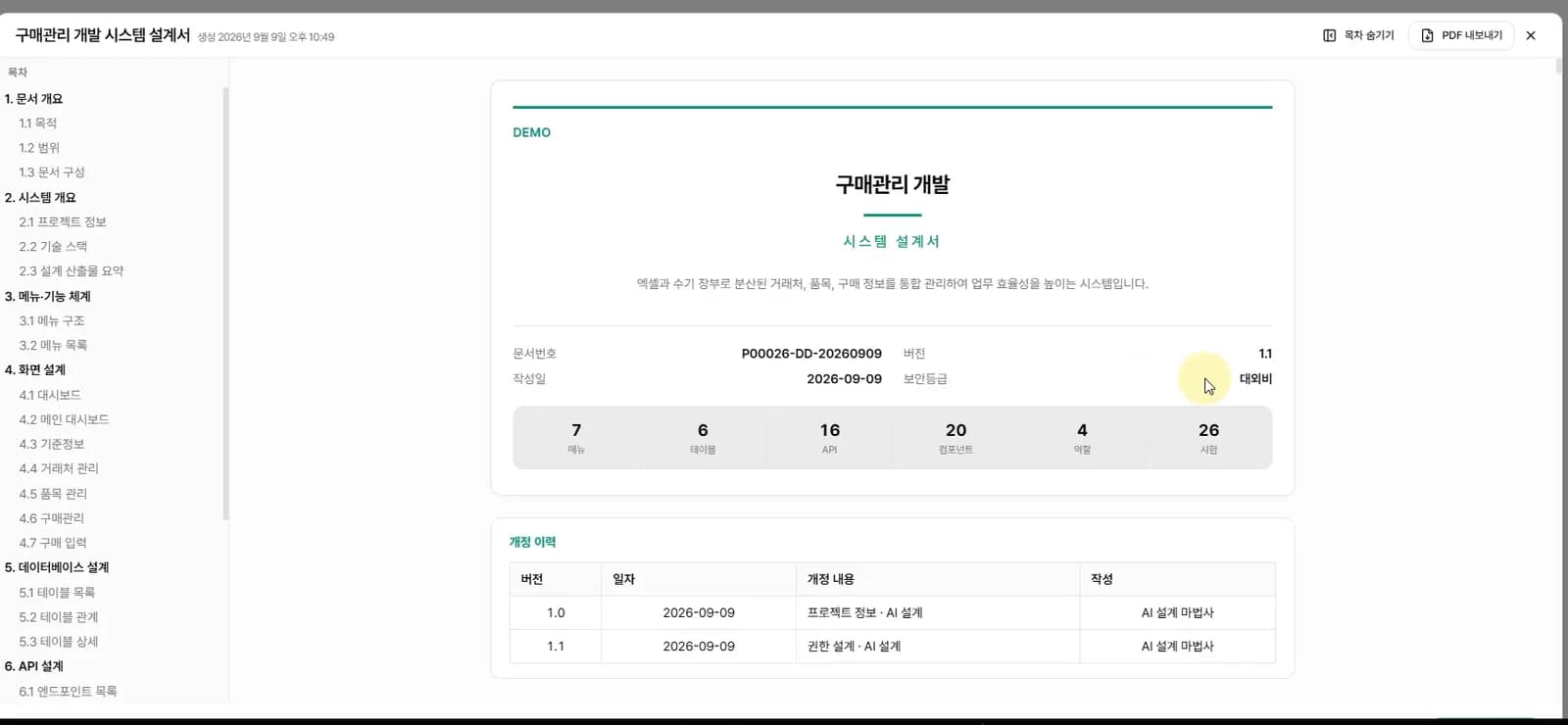
02Harness design
Design first, then code
Detailed design connects through the neural structure. Review and edit menus, database, permissions and tests.
You step in to raise quality
Unlike vibe coding
The design guides the coding
Real screen
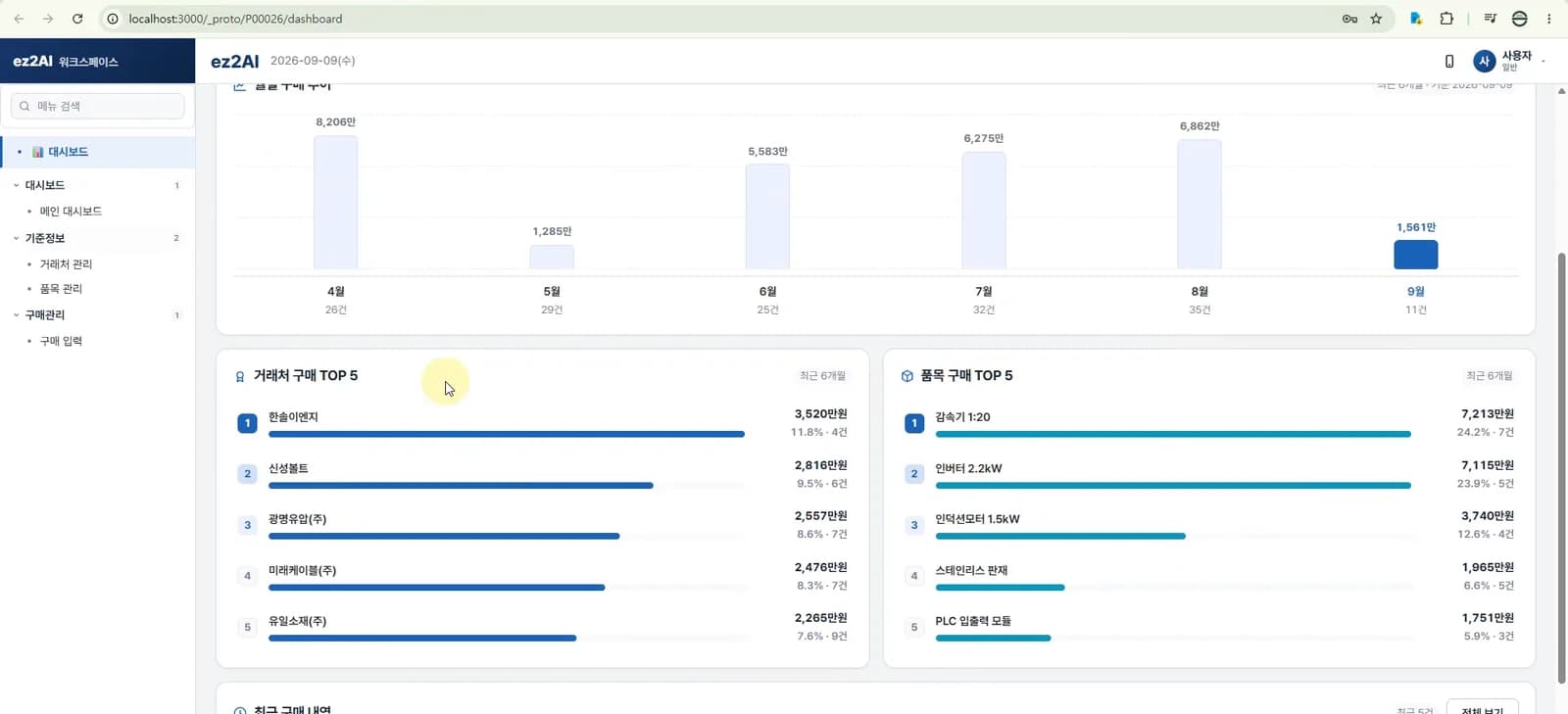
03Harness coding
Your working service, built as designed
Design governs every step of AI coding, so documents and services come out consistent. Screens also work on mobile.
Features in your plan become the service
Works on PC and mobile
You own the code and results
Real screen
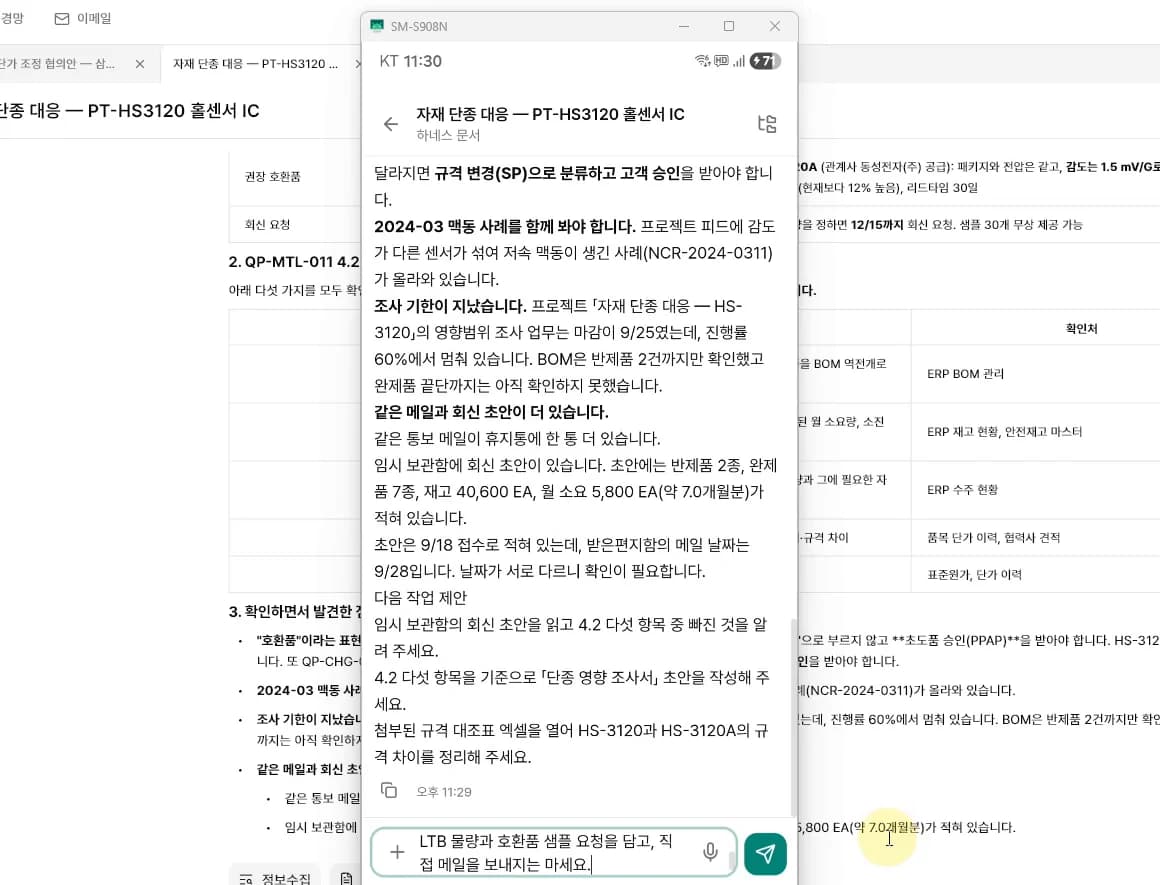
04AI assistant
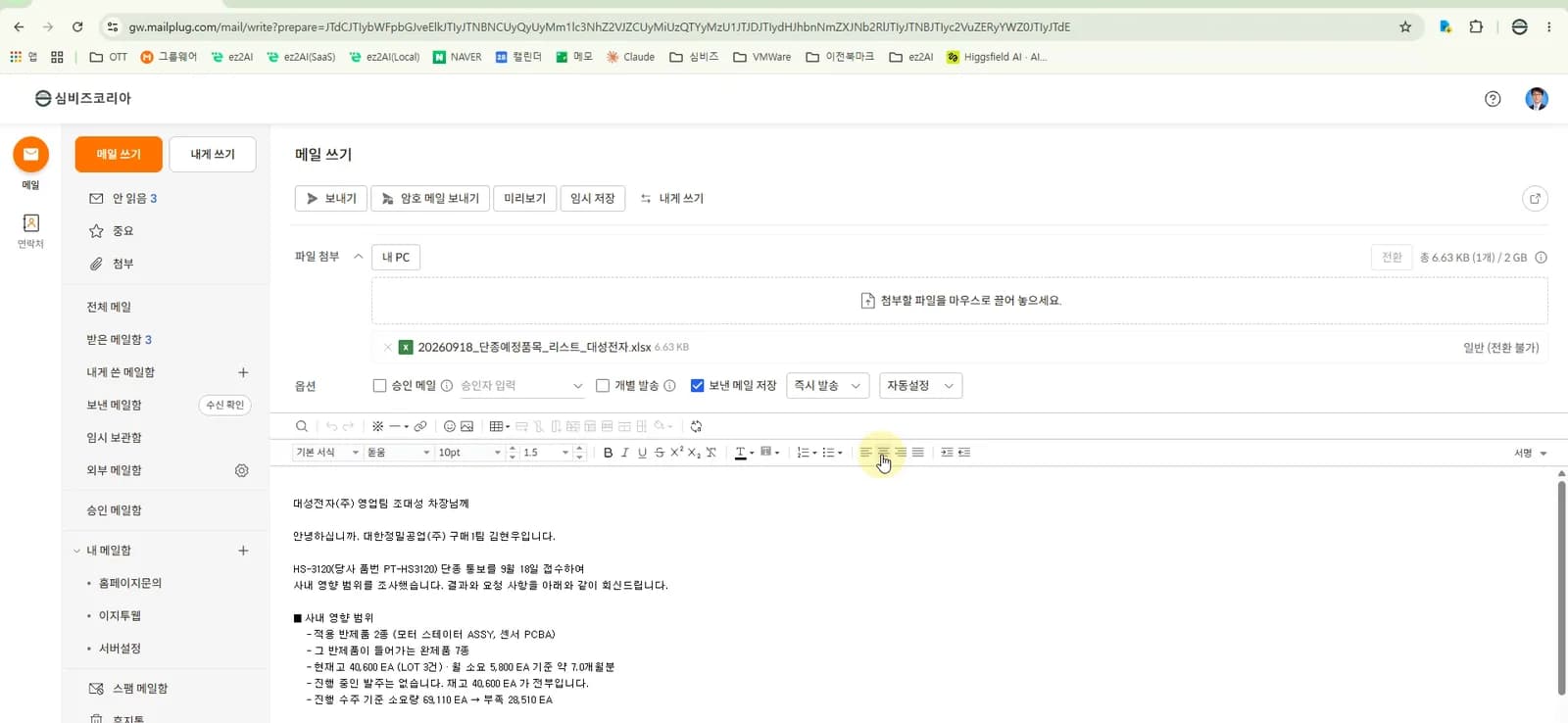
From one email to the reply, your assistant takes it
When a partner asks about a quote or schedule, the assistant reads the mail and attachments, checks your files and calendar, asks only what needs your decision on your phone, then writes the reply and documents.
You decide what to send; the assistant organizes and drafts
Answer from your phone while away
Mail and work stay on your PC
Real screen
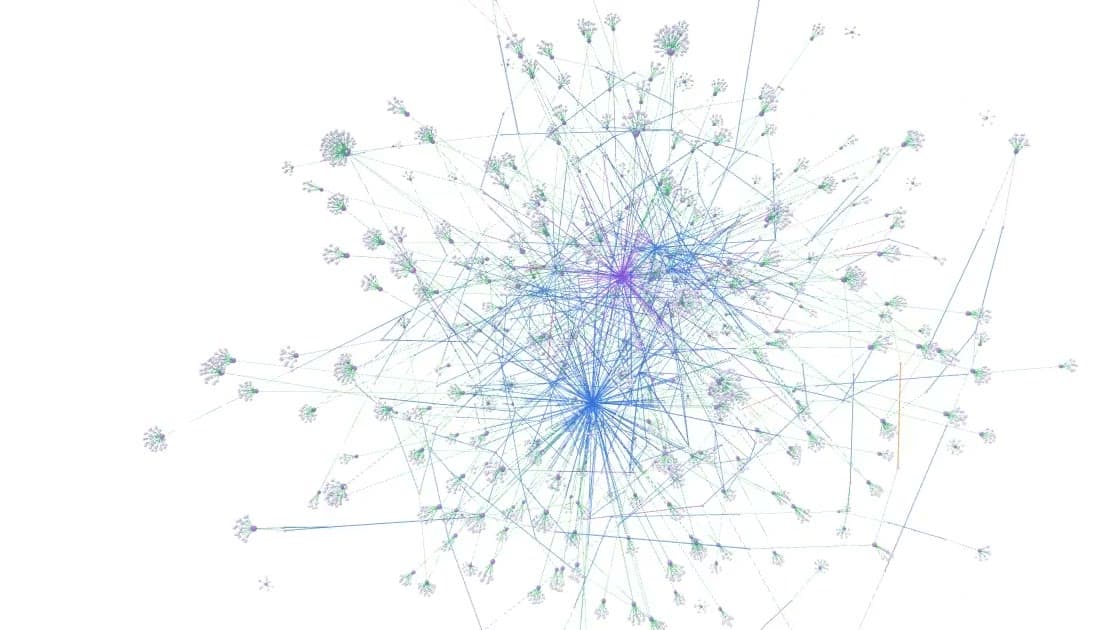
05Neural restoration
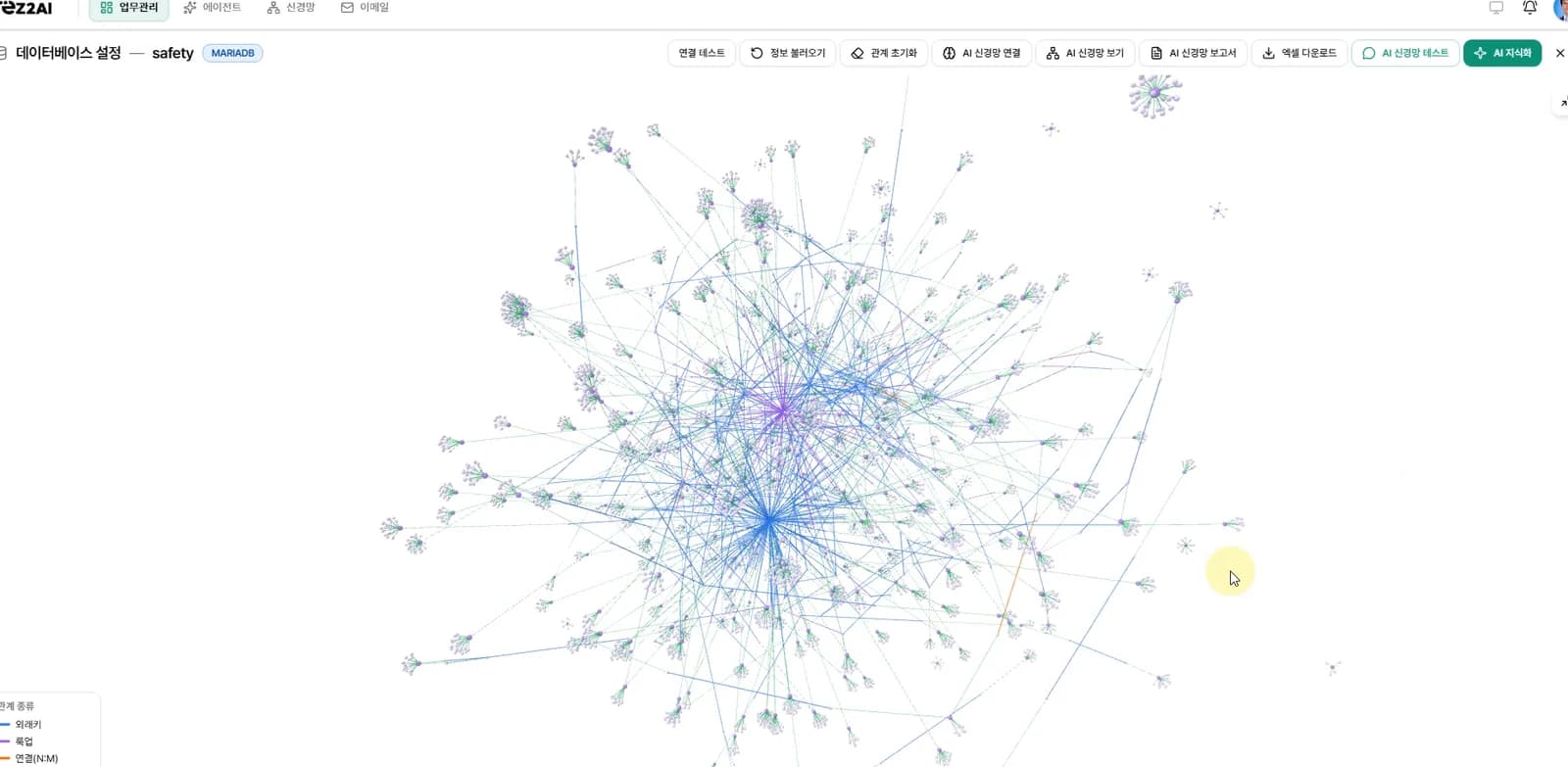
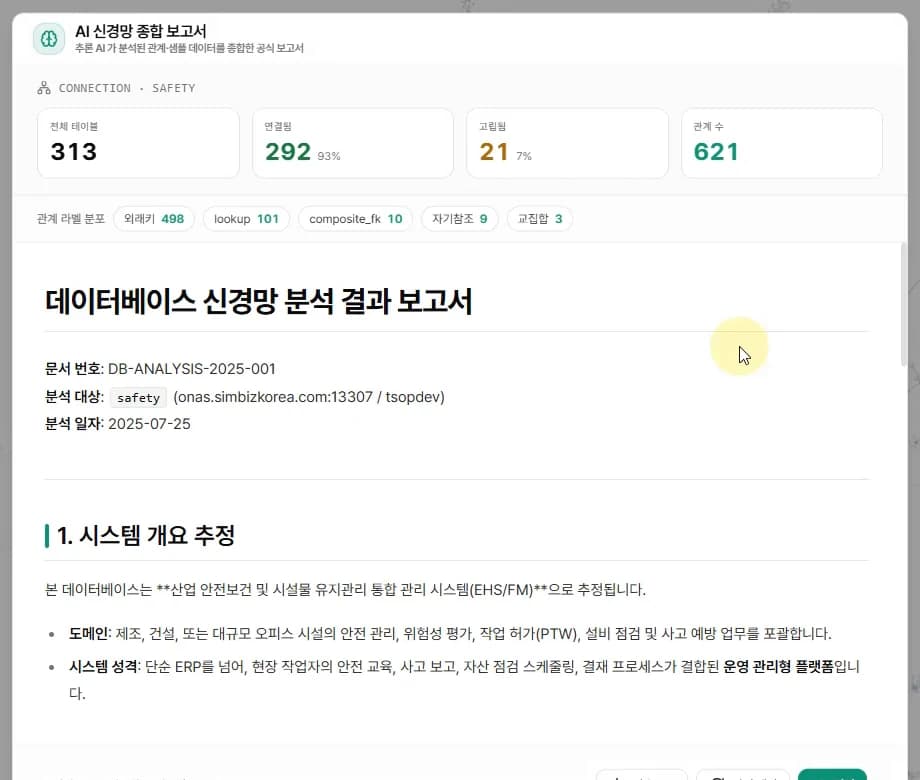
A database without design documents, restored as a neural network
Relationships among scattered tables are restored as a neural network, linking meaning from real data into one knowledge space.
Relationships linked from real data
KOLAS test: 100% recall, 98.53% precision
Ask in plain words on the restored network
Real screen
Company names and data on screen are for demonstration.
Startup grant business planInvestor pitchCustomer and sales management (CRM)Profit and loss analysisSearch-focused content draftCompetitor comparisonProduction planDelivery dispatch plan
Sales promotion planStore operations reportTravel itinerarySupplies inventory sheetConsulting assessment reportEvent planReturns and exchanges serviceProperty management system (PMS)
Bring your materials together. Put them to work on what's next.
Product information, past plans and client emails. Use your product files for an introduction page, Connect the materials you've gathered and start your next task.
Attached files
Business materials · Product information · Reference documents
Use the product features you decided on and your research as the basis for introductions and product page plans.
Market research
Market reports · Competitors · Customer research
Connect research materials to support your business plan.
Earlier tasks and projects
Proposals · Reports · Work records · Meeting notes
Review past business plans alongside a new program call to organize the evidence and gaps for the application you will write.
A client asks for a quote. Prepare a proposal and reply.
Read the request and attachments, then draft the quote, proposal and reply.
Example email
Client contact
Proposal and quote for our new project
Please review the attached requirements and send us a proposal and quote by next week.
Project requirements.pdf
Illustrative email example
Clarify the request
Prepare a proposal
Review the draft reply
Retrieved emails and attachments stay on your PC.
Search runs on your PC. Email contents are not sent to ez2AI servers for searching. Information needed for AI summaries and drafts is sent to your connected external AI service. Your email provider's policy governs storage of the original messages on that service.
Even when you're away, you decide from your phone.
Send instructions to your connected PC · Check progress · Approve actions when needed
The PC must be switched on and connected. Work runs on the connected PC
Research and documents with Lite, design and coding with Solo.
Plans for individuals and businesses with fewer than five regular employees. One user · Agent included · VAT included
Lite
Research, documents, AI assistant
An AI assistant that finds notices, writes business plans and proposals with evidence, and drafts mail replies. It remembers what you decided and asks when unsure.
100,000 KRW / month · 1 seat20% off when billed yearly
Everything in Lite, plus service design and development. Build the features you decided on to the design, check each one, and run and test them on your PC.
300,000 KRW / month · 1 seat20% off when billed yearly
No separate AI account neededAI use is included in Lite and Solo, so you can start right after signing up. If you already have a personal AI account, you can connect it too.
ez2AI lets you carry research, writing, design drafts and development through in one place. What you decided earlier and your work records become the basis for the next step. Lite and Solo let you connect your personal AI account.
Do I need a separate AI account?
No. AI use is included in Lite and Solo, so you can start right after signing up. If you already have a personal AI account, you can connect it too.
Who writes the business plan?
You do. The founder also defines the problem, customers and goals. The AI assistant finds evidence that fits those judgments; when there is none, it doesn't make anything up but marks the point as “needs checking” and asks. Decisions and the process remain in your work records.
Is a document written with AI a problem in a review?
Reviews look at the founder's own thinking and experience. In ez2AI you decide the problem, the customer and the solution, while the assistant organizes evidence and asks questions. Evidence carries its source, and gaps are asked about rather than made up, so your decisions and experience stay in the document. Check each program's notice for its writing rules.
Does any information leave my PC?
Agent stores work files, conversations and source code on your PC, rather than on our servers. Information needed for AI processing is sent to the external AI service you connect. Files you upload directly to Works are stored in a cloud hosted in South Korea.
What happens to my materials after the support period?
Your work files, documents, code and memory stay on your PC. You keep using them for the next round of documents and presentations.
Can I start without development experience?
You can start by talking through the problem you faced and the features you want to build. Lite provides design drafts; Solo provides service design, coding and running on your PC. The founder decides what to build and reviews and approves the results.
Can I launch my service straight away?
You can develop the service you decided on with ez2AI and run and test it on your PC. To serve external users, you need to deploy it to a server and configure the production environment yourself. Integrations, security and real-world behavior also need testing after deployment.
Can I check on work while I'm away?
From your phone you can check the progress of the AI assistant working on your main PC, answer its questions, and give and approve the next tasks. The main PC must be switched on and connected.
The business you've been preparing, build it step by step on your own judgment.